Your Cart:


Welcome to WordPress. This is your first post. Edit or delete it, then start writing!
You must be logged in to post a comment.
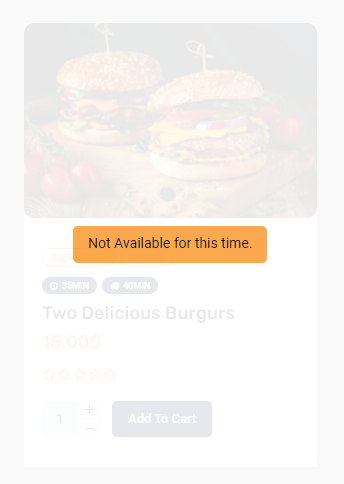
Item visibility is divided into several mealtimes- Breakfast, Lunch, Dinner, Snack, etc. The item which is being set for breakfast will not be visible as lunch, dinner, or snacks. The same goes for other mealtimes. Have a look at the below-attached screenshots. You’ll get a complete overview.
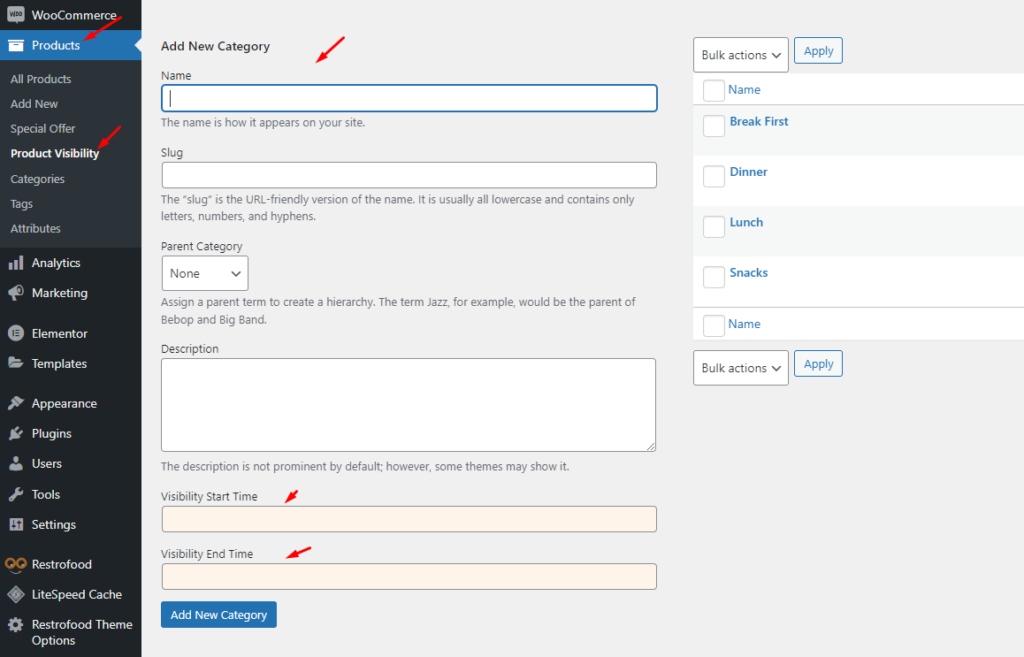
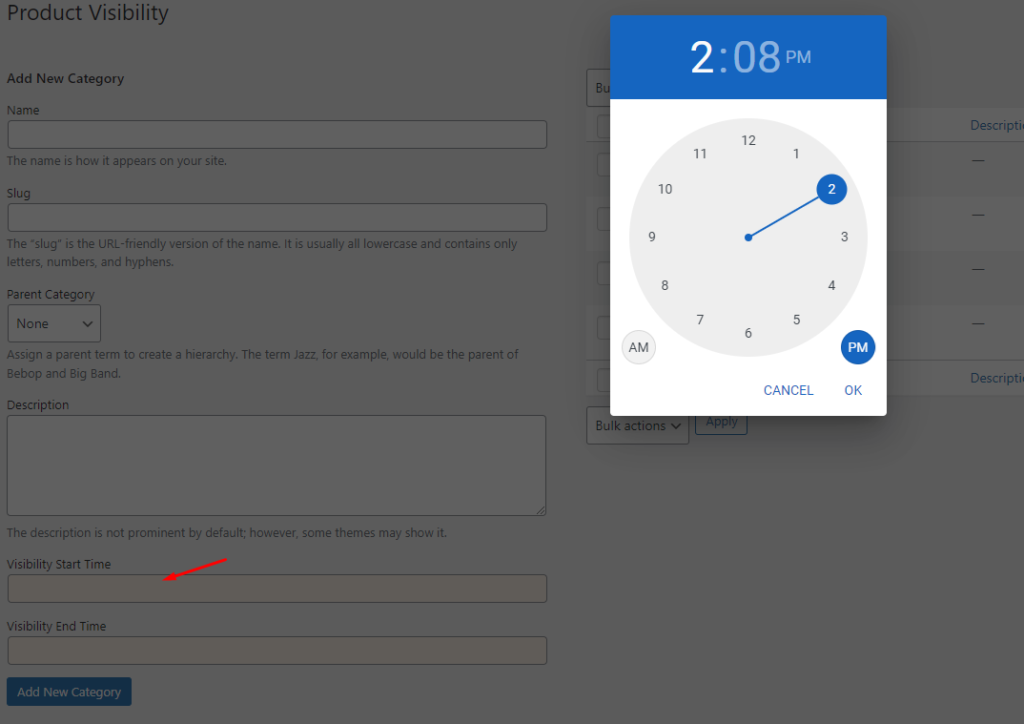
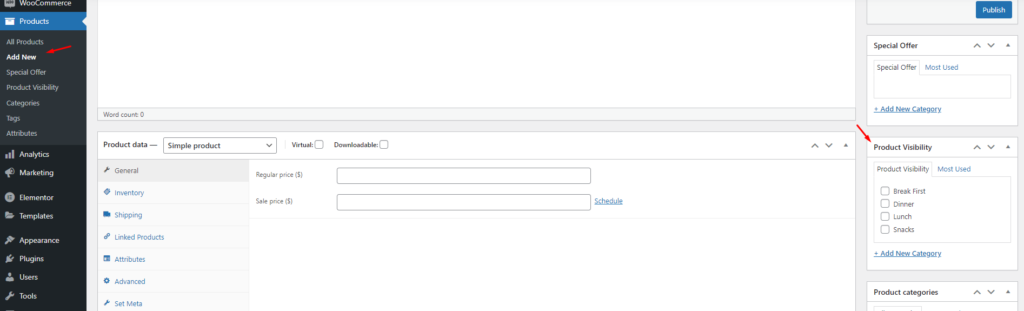
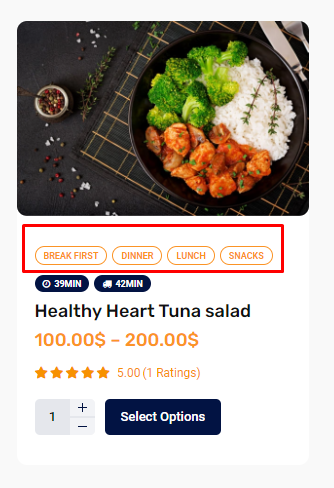
You must be logged in to post a comment.
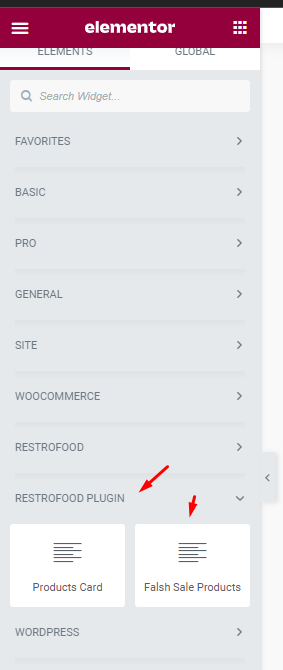
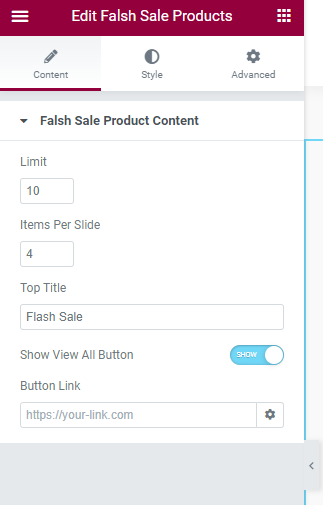
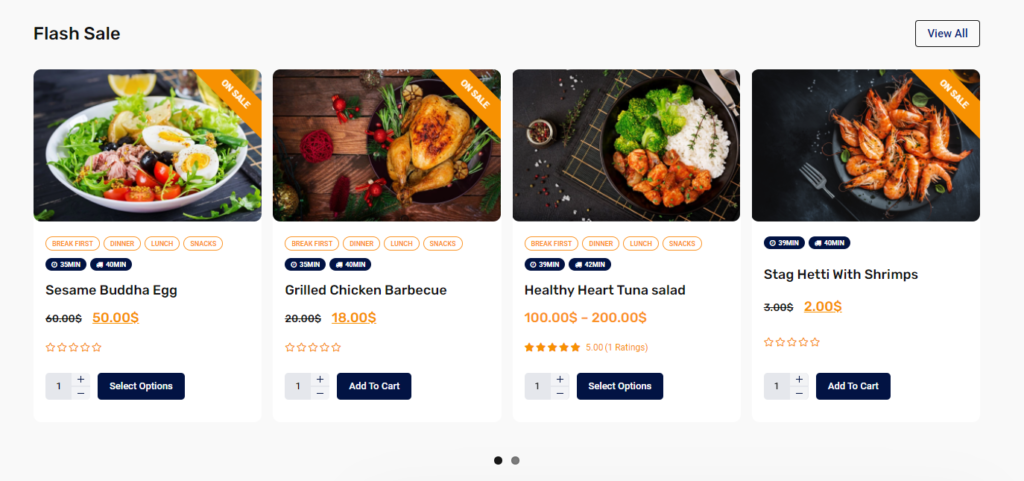
Restrofood provides a flash sale slider Elementor widget to show on sale products. Follow the screenshots to set the settings.
You must be logged in to post a comment.
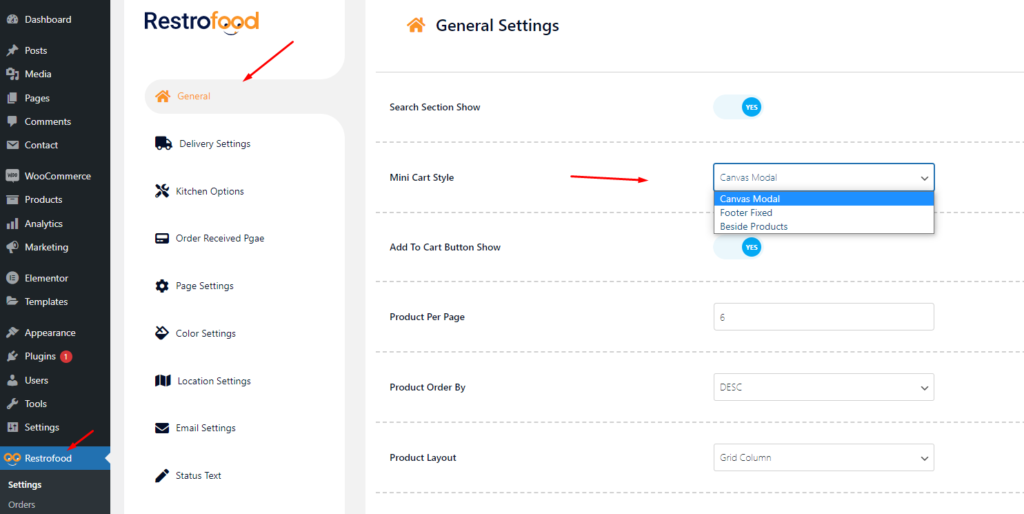
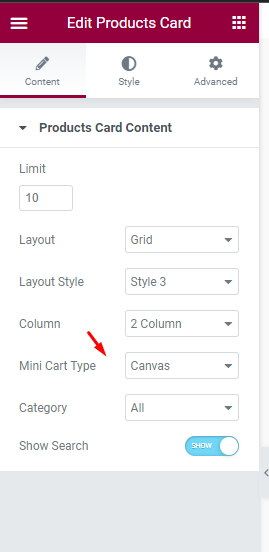
Restrofood provides 3 unique cart style options. You can choose the one that you prefer most. You can set it globally from the settings option or a specific Elementor widget. Follow the screenshots to set the settings.
You must be logged in to post a comment.
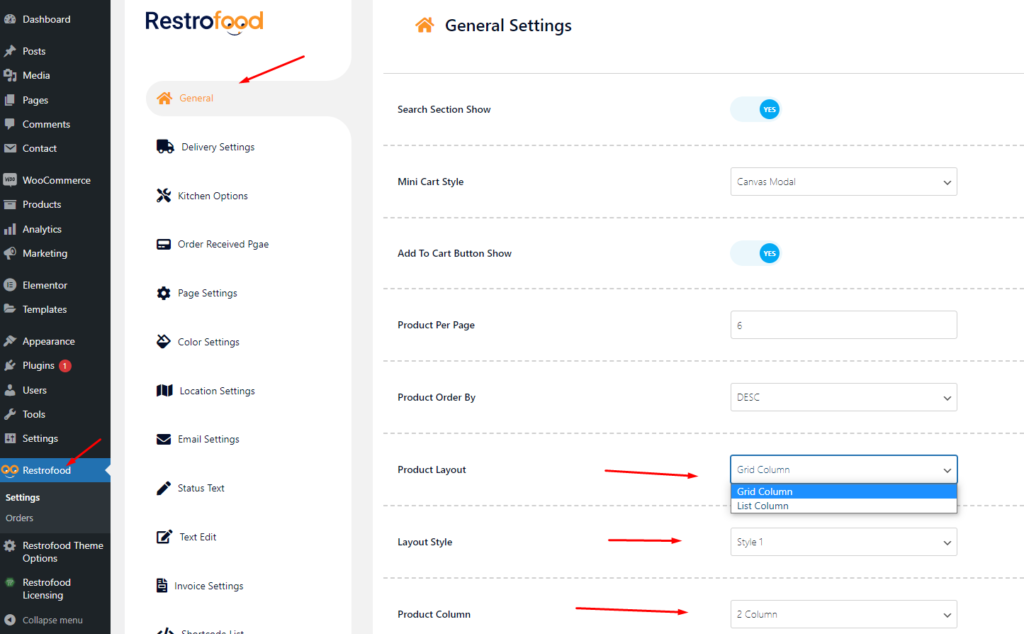
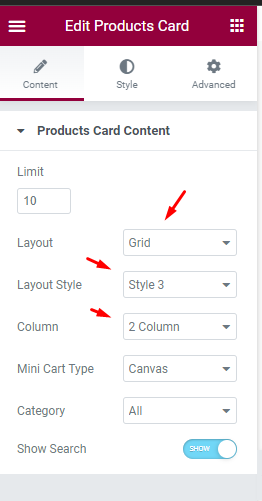
Restrofood offers 6 different kinds of product layouts to showcase your products. You can set it globally from the settings option or a specific Elementor widget. Follow the screenshots to set the settings.
You must be logged in to post a comment.
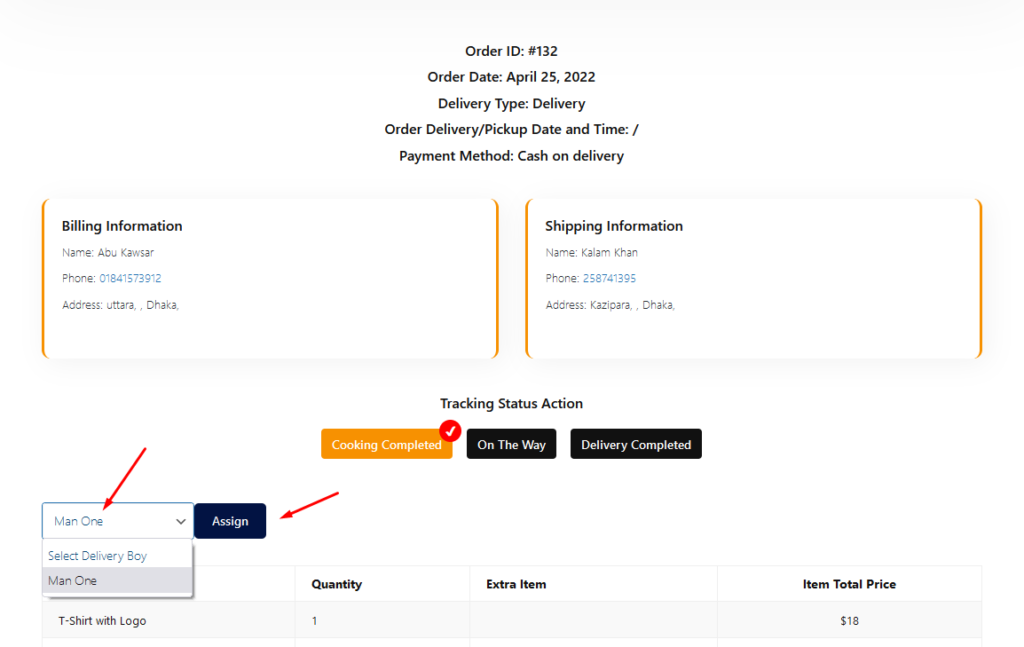
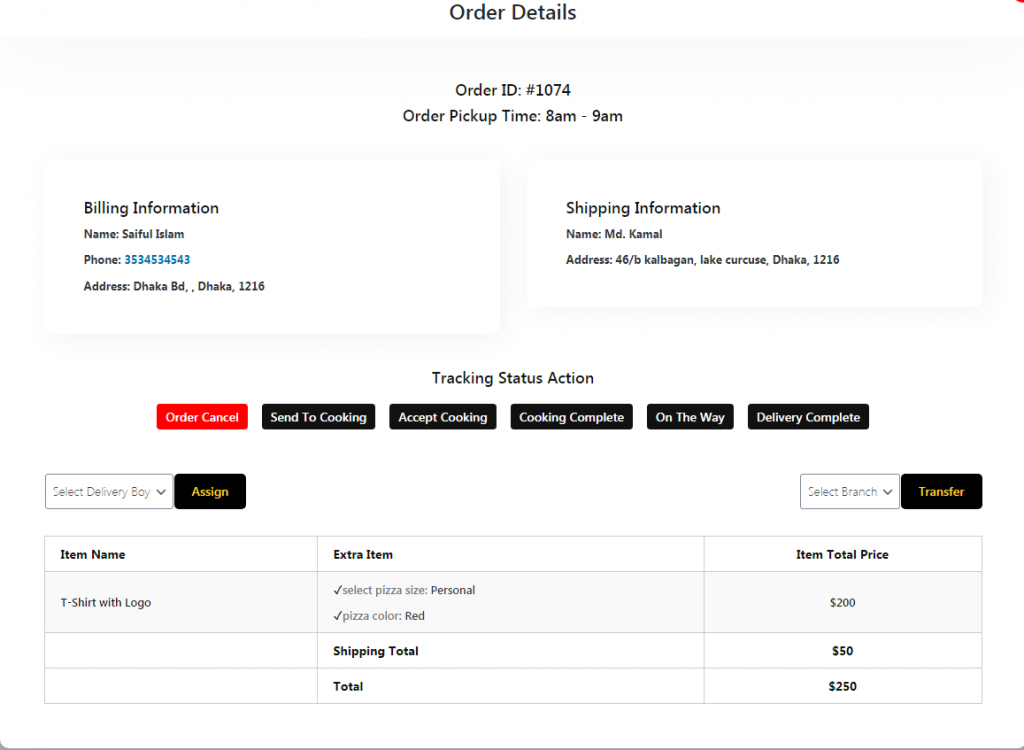
After Cooking Complete the order need to assign delivery boy to order delivery. There has a select option to assign delivery boy in the branch and kitchen manager page order view popup. Follow the screenshot below.
You must be logged in to post a comment.
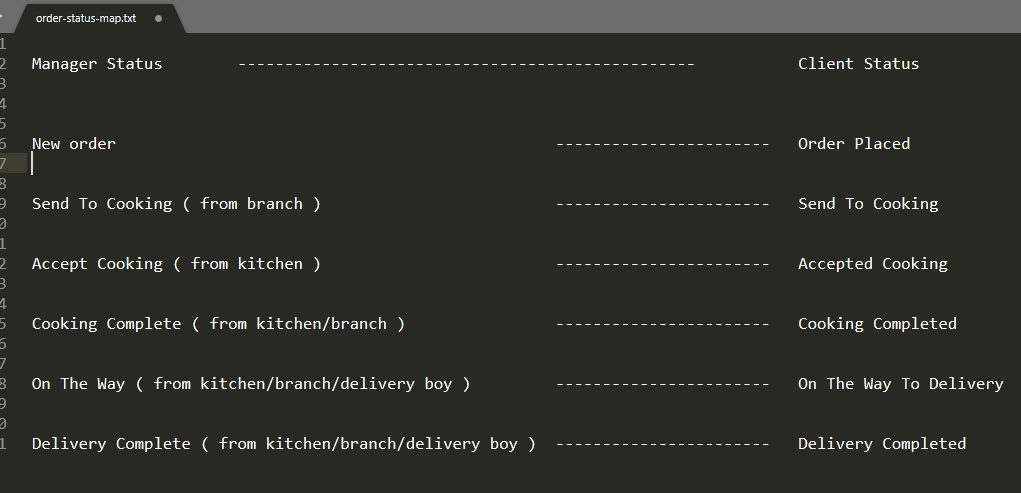
Restrofood provides order status change option to know order current status. All managers can change the order status from there manager page depends on the order activities and customers also can see the order current status from my account -> order page .
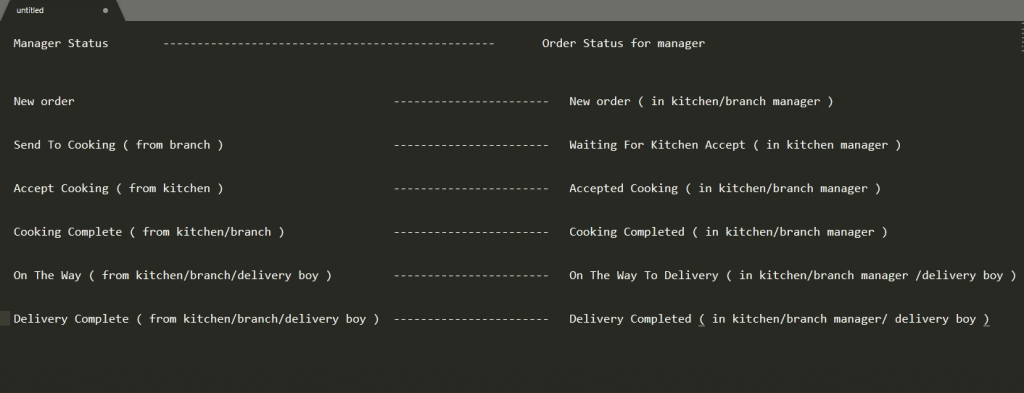
Question: I accept the order by clicking on send to cooking button but the order doesn’t appear on cooking processing sections.
Answer: Until the Kitchen Manager accept the order for cooking the order status “Cooking Processing” will not update in the Branch Manager end.
You must be logged in to post a comment.
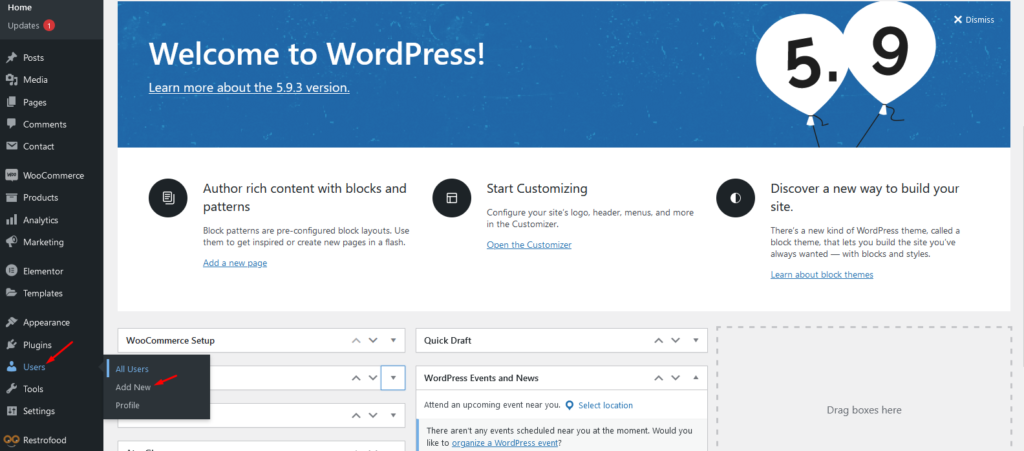
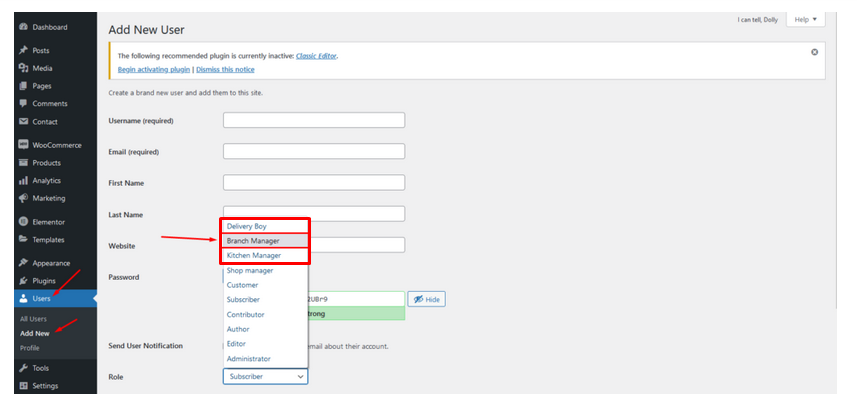
You will need to create user to access the branch manager, kitchen manager, and delivery boy. Restrofood provides 3 different user roles for different manager. After installing the plugin you will find 3 new user roles in the user role option. The roles are Branch Manager, Kitchen Manager, and Delivery Boy. Follow the screenshot to create users for the manager.
You must be logged in to post a comment.
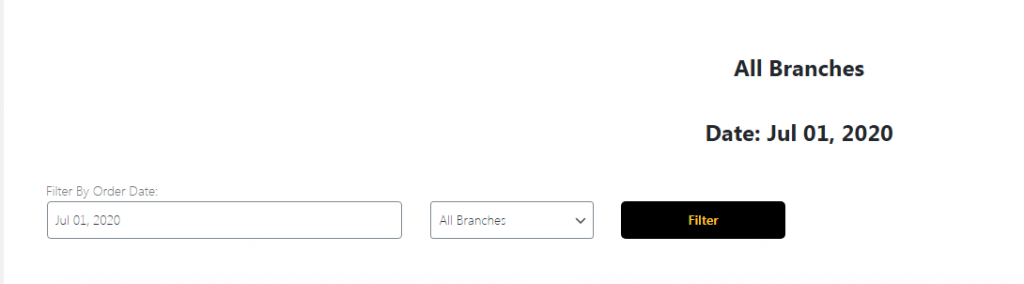
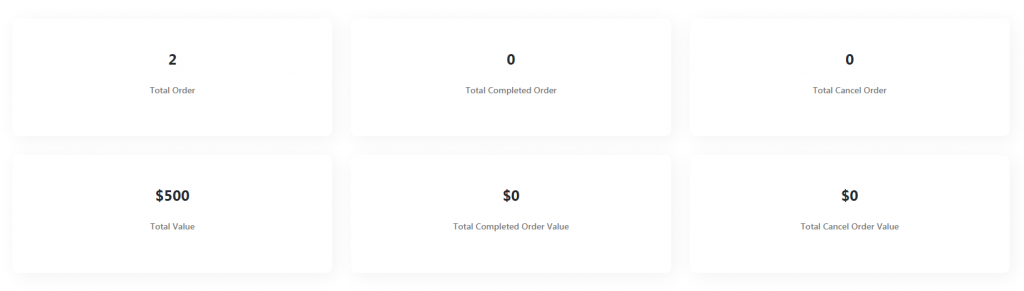
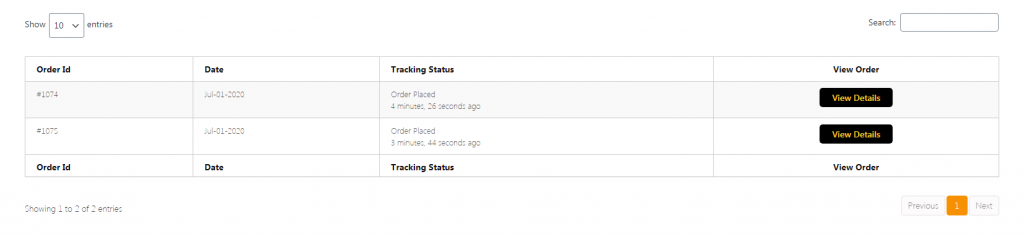
The main admin can see and controls all branch orders from Branch order manage page. This page can access only main admin user from dashboard. There has so many options in this page. Following the options list below :

You must be logged in to post a comment.
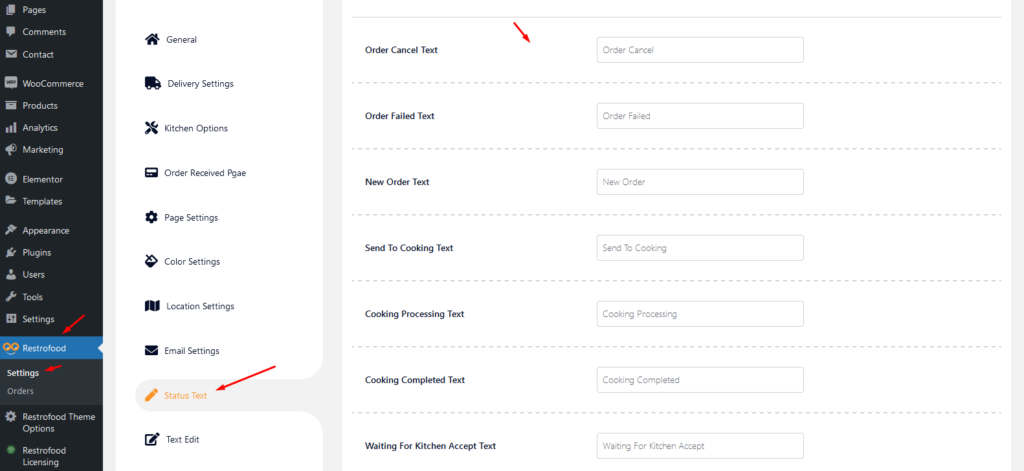
If you want to change the order status text which restrofood provide default, You can! just follow the screenshot below:
You must be logged in to post a comment.


Comment (1)
A WordPress Commenter
17 Jul 2026Hi, this is a comment.
To get started with moderating, editing, and deleting comments, please visit the Comments screen in the dashboard.
Commenter avatars come from Gravatar.